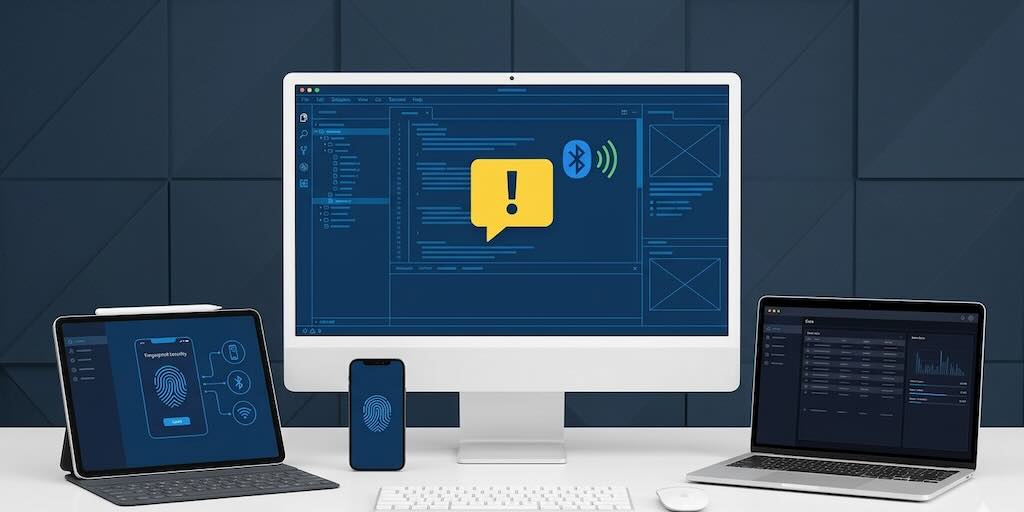
Last week was about defaults. This week is about device APIs moving into the framework core, a small simulator change that revolutionizes Bluetooth development, and a preview of the new Build Cloud UI we would love your feedback on. There is a handful of other things in here too — and the Metal default flip I trailed last week is in a different state than I expected, which is worth a word at the end.
A new Build Cloud UI — preview
The single most visible change this week sits behind the Build Cloud login. The console we have been serving for years is being replaced. The new UI is live now here, alongside the current console you can still find here. We want eyes and feedback on it before we flip the default.
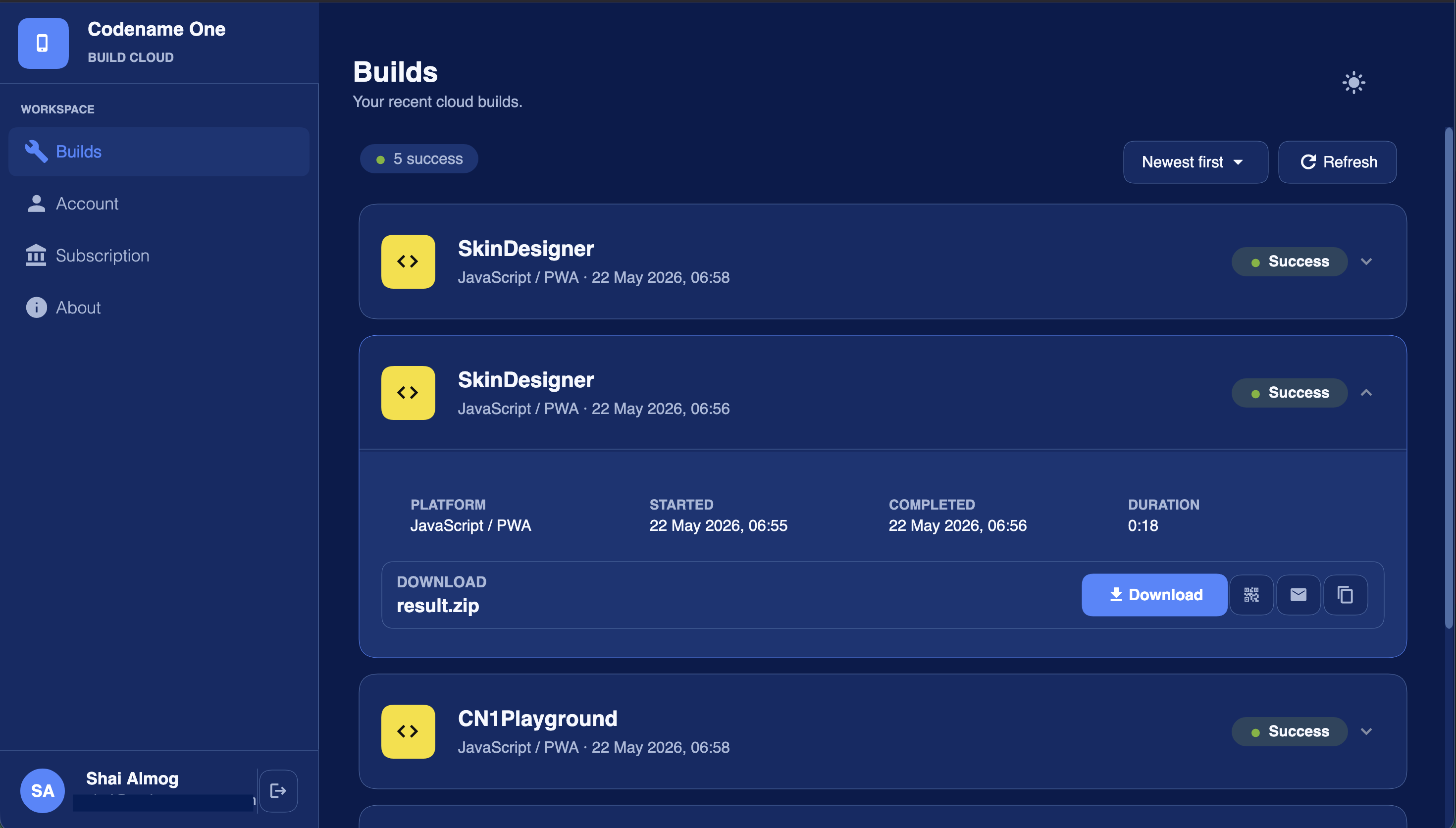
The whole console is written in Java 17 against the Codename One UI framework, then compiled to JavaScript via our JavaScript port and served as static assets from inside the Build Cloud. Same Form, Container, BoxLayout, Toolbar, theme.css you would write for a phone build.
This is the same playbook the Initializr, the Playground, and the Skin Designer already follow. Four non-trivial Codename One apps shipping to the browser as production tooling. If you wondered whether the JavaScript port could carry a complex application UI, this is the most direct answer we can give.
Device APIs become first-class
The bigger structural change this week is that three new APIs that used to live in cn1libs or weren’t available at all are now built into the framework core: biometrics, cryptography, and NFC. The unifying idea is that you should not have to add a cn1lib to do work this fundamental. The cn1lib model is still useful for genuinely third-party functionality and for features that make less sense in the core. The existing cn1libs that we are subsuming continue to work unchanged on projects that already depend on them — but the bar for what lives in core just moved.
Biometrics — PR #4987
Touch ID, Face ID, and Android BiometricPrompt are now in com.codename1.security.Biometrics. The API uses simpler semantics compared to the original fingerprint API (that predated face scanning but didn’t rename the API). You can use canAuthenticate() to gate access, then an authenticate(...) call that returns an AsyncResource, typed BiometricError codes on the failure path.
Biometrics b = Biometrics.getInstance();
if (!b.canAuthenticate()) {
    // No hardware, or no enrolled biometrics
    return;
}
b.authenticate("Unlock your account").onResult((success, err) -> {
    if (err != null) {
        BiometricError code = ((BiometricException) err).getError();
        switch (code) {
            case USER_CANCELED:  return;
            case LOCKED_OUT:     fallToPassword(); return;
            case NOT_ENROLLED:   askToEnroll(); return;
            default:             fallToPassword();
        }
    } else {
        unlock();
    }
});
On iOS this wraps LocalAuthentication.framework; on Android API 29+ it uses BiometricPrompt and on API 23-28 it keeps the legacy FingerprintManager path through a reflection adapter. The build servers and local build handle permissions and framework linking seamlessly so you don’t need to do anything and don’t need to add a build hint. It just works.
The Java SE simulator has a new Simulate -> Biometric Simulation submenu with an Available toggle, per-modality enrollment, and a configurable outcome for the next authenticate(...) call. So you can exercise every code branch — success, user cancel, locked-out, no-hardware — without leaving the simulator.
If you have been depending on the venerable FingerprintScanner cn1lib, it continues to work unchanged. New code should reach for com.codename1.security.Biometrics.
Cryptography — PR #4994
Routine cryptography (hashing, MAC, symmetric and asymmetric encryption, signing, JWT, OTP) is now in com.codename1.security and ships with the framework. The pure-Java algorithms (Hash, Hmac, Base32, the JWT and OTP machinery) produce identical output on every supported platform. The bits that need real keys — AES, RSA, ECDSA, SecureRandom — route through each port’s native crypto provider so you get hardware-backed primitives where the device offers them.
A typical AES-GCM round-trip:
SecretKey key   = KeyGenerator.aes(256);
byte[]    nonce = SecureRandom.bytes(12);
byte[]    enc   = Cipher.aesEncrypt(Cipher.AES_GCM, key, nonce, null,
                                    "secret".getBytes("UTF-8"));
byte[]    dec   = Cipher.aesDecrypt(Cipher.AES_GCM, key, nonce, null, enc);
A SHA-256 hash:
byte[] digest = Hash.sha256("hello".getBytes("UTF-8"));
String hex    = Hash.toHex(digest);
A signed JWT:
byte[] hsKey  = KeyGenerator.hmac(256);
String token  = Jwt.signHs256(hsKey)
                   .claim("sub", "user-42")
                   .claim("exp", System.currentTimeMillis() / 1000 + 3600)
                   .compact();

Jwt parsed    = Jwt.verifyHs256(token, hsKey);   // throws on bad signature
String sub    = parsed.getClaim("sub").asString();
And a TOTP that lines up with Google Authenticator / Authy:
byte[] sharedSecret = Base32.decode("JBSWY3DPEHPK3PXP");
String code         = Otp.totp(sharedSecret);    // current 30s window
boolean ok          = Otp.verifyTotp(code, sharedSecret, /* drift */ 1);
The PR also ships a matching UI widget — com.codename1.components.OtpField — a segmented, auto-advancing OTP input with paste distribution and a completion listener, so the “enter your 6-digit code” screen is now half a dozen lines of glue:
OtpField otp = new OtpField(6);
otp.setCompleteListener(code -> {
    if (Otp.verifyTotp(code, sharedSecret, 1)) {
        proceed();
    } else {
        otp.setError("Wrong code");
    }
});
form.add(otp);
We deliberately chose conservative defaults: AES/GCM/NoPadding for new authenticated AES, RSA/ECB/OAEPWithSHA-256AndMGF1Padding for new RSA, constant-time HMAC compare, a bias-free intBelow(n) on SecureRandom. The MD5 / SHA-1 / PKCS#1 / ECB transformations are still there because real apps still need to interoperate with legacy systems, but the documentation calls them out as interop-only.
NFC — PR #4996
com.codename1.nfc is the third addition. A single Nfc entry point, an NdefMessage / NdefRecord pair with typed factories (createUri, createText, createMime, createExternal, createApplicationRecord), per-technology Tag subclasses (IsoDep, MifareClassic, MifareUltralight, NfcA, NfcB, NfcF, NfcV), and a HostCardEmulationService base class for emulating a contactless card.
Reading an NDEF URI tag — the “tap a poster” pattern:
Nfc nfc = Nfc.getInstance();
if (!nfc.canRead()) return;             // no NFC hardware / NFC disabled

nfc.readTag(new NfcReadOptions()
        .setNdefOnly(true)
        .setAlertMessage("Hold near the poster"))
   .onResult((tag, err) -> {
        if (err != null) return;
        tag.readNdef().onResult((msg, e) -> {
            if (e == null) {
                String url = msg.getFirstRecord().getUriPayload();
                Display.getInstance().execute(url);
            }
        });
   });
Exchanging APDUs with an EMV / transit card:
nfc.readTag(new NfcReadOptions()
        .setTechFilter(TagType.ISO_DEP)
        .setIsoSelectAids(myAid))
   .onResult((tag, err) -> {
        if (err != null) return;
        IsoDep iso = tag.getIsoDep();
        if (iso == null) return;
        iso.transceive(myCommandApdu).onResult((resp, e) -> {
            if (ApduResponse.isSuccess(resp)) {
                /* parse response */
            }
        });
   });
Acting as a contactless card via Host Card Emulation:
class LoyaltyCard extends HostCardEmulationService {
    public String[] getAids() { return new String[] { "F0010203040506" }; }
    public byte[] processCommand(byte[] apdu) {
        return ApduResponse.withStatus(loyaltyId.getBytes("UTF-8"),
                                       ApduResponse.swSuccess());
    }
}
Nfc.getInstance().registerHostCardEmulationService(new LoyaltyCard());
Android uses NfcAdapter foreground dispatch / reader-mode and HostApduService; both manifest entries are auto-injected by the Maven plugin and the build daemon when this class is referenced. iOS uses Core NFC (NFCNDEFReaderSession, NFCTagReaderSession) for reading and CardSession (iOS 17.4+, EU only) for HCE; the NFCReaderUsageDescription plist entry and entitlements are auto-injected by the build server and local builds (again seamless is the key). The Java SE simulator has a Simulate -> NFC menu (I feel like I’m repeating myself), that lets you tap a virtual tag, edit its NDEF payload, and fire APDUs at any registered HostCardEmulationService, so you can sit at your desk and drive every code path without a card or a reader.
On platforms that do not have NFC (desktop deploy, the JavaScript port) the base class is returned and reports the device as unsupported, so application code does not need platform if statements — always gate on canRead() and you are fine.
cn1libs can now own simulator menus — and that changes Bluetooth
PR #4988 is one of those small-looking changes that opens up a whole category of UX. The Java SE simulator now scans every jar on its classpath for META-INF/codenameone/simulator-hooks.properties and lets any cn1lib contribute its own menu items. The cn1lib does not reference any Swing types — the data file just names a name=... for the menu group and a series of itemN entries pointing at public static no-arg methods, each with an optional labelN. The simulator does the rest.
A skeletal hook file:
name=Bluetooth
namespace=bluetooth

item1=com.example.bt.sim.Hooks#toggleAdapter
label1=Toggle adapter on/off

item2=com.example.bt.sim.Hooks#addDemoPeripheral
label2=Add demo peripheral
Drop that file inside a cn1lib’s javase/ module and the next time the simulator starts you get a Bluetooth menu with two items in it, each running on the CN1 EDT, with Toggle adapter on/off and Add demo peripheral doing exactly what their names say. Each entry is also callable cross-platform via CN.execute("bluetooth:item1"), which is what makes the same hook usable from a screenshot test or a scripted demo. Items without a labelN are API-only — registered with the executor but hidden from the menu — which is what test suites use to prime scripted state.
We picked the data-driven shape on purpose. We are going to rewrite the simulator UX over the coming year, and we did not want cn1libs to either depend on JMenu / JMenuItem directly or have to be recompiled when the simulator’s UI shell changes. The neutral SimulatorHook record (menuName, label, Runnable) is the contract; the UI on top of it is replaceable.
Bluetooth that you can actually debug
The reason the simulator hook landed this week is that we have been working on the bluetoothle-codenameone cn1lib in parallel, and the cn1lib needs the hook to be genuinely good. The result is a Bluetooth debugging story that is materially nicer than what you get out of the box on either native platform.
The library now has two backends: a real BLE backend that talks to actual hardware (CoreBluetooth on iOS, BluetoothLeScanner / BluetoothGatt on Android, the new native desktop bridge on Java SE) and a fully in-memory simulator.
To be clear, the simulator now connects to the hardware bluetooth on your device and starts scanning for real devices. I debugged bluetooth devices from my Mac using IntelliJ/IDEA and was able to see real devices!!!
The cn1lib’s simulator-hooks.properties ships with seven hooks that put the simulator in the simulator’s menu bar:
Bluetooth
├── Toggle adapter on/off
├── Add demo peripheral
├── Disconnect all peripherals
├── Push demo notification
├── Clear peripherals
├── Switch backend → native BLE (real hardware)
└── Switch backend → simulator
So a typical Bluetooth iteration loop looks like this:
- Open your app in the Java SE simulator. The simulator backend is on by default.
- Open Bluetooth -> Add demo peripheral. Your scan picks up a fake peripheral. Step through your discovery code.
- Open Bluetooth → Push demo notification. Your characteristic listener fires. Step through your handler.
- Open Bluetooth → Toggle adapter on/off. Your “adapter off” branch runs. Step through it.
- When you are happy with the in-simulator behavior, open Bluetooth → Switch backend → native BLE (real hardware) and your laptop’s actual Bluetooth radio takes over. Same app, same code, real peripherals.
Compare that to the conventional Bluetooth iteration loop on iOS or Android. You need a real device. You need a real peripheral. The simulator does not have a BLE stack at all on iOS, and Android’s emulator has a partial one that does not match real hardware. You end up doing every change on device, with cables, and the moment something goes wrong you have to figure out whether the bug is in your code, the peripheral firmware, the OS BLE stack, or some interaction between all three.
With the cn1-bluetooth simulator backend, the first four of those variables collapse to one: your code. When it works in the simulator and it does not work on device, you have narrowed the problem down to the platform BLE stack or the peripheral, which is a tractable problem. When it does not work in the simulator either, you are debugging your own code, on your own laptop.
If you have a cn1lib of your own that would benefit from a “Simulate → Whatever” menu — fake GPS coords, scripted push notifications, deterministic camera frames — the hook file is the simplest way to ship it. Two lines of properties, one public static no-arg method, and the simulator has the affordance built in.
In-app purchase consistency — PR #4990
A forum report of submitReceipt being invoked repeatedly turned into three closely related fixes in Purchase.synchronizeReceipts. All three had the same root cause: code that worked when the App Store / Play Store filled in every field, and quietly misbehaved when one of them was null.
removePendingPurchasematched only ontransactionId. When a receipt’stransactionIdwas null (a real case on some restored Android purchases) the call silently no-op’d, the receipt stayed in the pending queue, the recursion at the end ofsynchronizeReceiptspulled the same receipt again, and the same receipt got re-submitted forever. The fix matches on the receipt itself with a fallback tuple of(sku, storeCode, purchaseDate, orderData)whentransactionIdis null on either side.- The recursive
synchronizeReceipts(0, callback)re-registered the caller’sSuccessCallbackon every iteration, so a queue of N pending receipts caused the user’s callback to fire N times. The recursive call now passesnullsince the original callback is already insynchronizeReceiptsCallbacks. - The callback flush itself fired even when the queue had not actually drained, which masked the duplicate-submit problem at the surface and made it look like the callback was the bug.
None of this is dramatic in isolation, but the symptom — a subscription that gets re-validated against the server every few seconds — looks identical to a server bug, and it has cost real developers real hours. The fix is shipped and the regression tests cover the null-transactionId path so this exact shape does not come back.
UTF-8: JDK-compatible replace semantics + a NEON ASCII fast path — PR #4989
String.getBytes("UTF-8") and new String(bytes, "UTF-8") on iOS were behind the standard JDK in two ways. The decoder threw RuntimeException("Decoding Error") on malformed input — the rest of the Java world emits U+FFFD per maximal subpart and keeps going. The encoder dropped through to a 1-byte-per-char stub on non-Apple builds, and there was a silent ISO-8859-2 → NSISOLatin1 alias that hid encoding errors when NSString rejected the input.
The new decoder is a Hoehrmann DFA with JDK-compatible REPLACE semantics: one U+FFFD per maximal subpart violation, truncated trailing sequences also emit a U+FFFD. The encoder is a portable UTF-16 → UTF-8 with surrogate-pair joining; the Apple path now uses it directly so NSString is no longer involved in the common case. And the encoder gains a real implementation for the POSIX / test fallback in place of the old TODO stub.
The fun part is the SIMD work. The ASCII prefix scan (vmaxvq_u8) and the u8 → u16 widen (vmovl_u8) are gated on __ARM_NEON and only kick in for inputs ≥ 64 bytes. A standalone microbenchmark shows roughly 53× speedup over the scalar DFA on ASCII-heavy payloads. The integration-level benchmark cannot see this number because allocating a fresh char[] per call dominates on ParparVM, but the helpers carry their weight on the parser-style hot paths the SIMD work was added for (JSON parsing, log scanning, the kind of text that is mostly ASCII with the occasional non-ASCII codepoint).
If your app parses a lot of UTF-8 — and most apps do, because most network APIs are JSON over HTTP — this lands as a quiet but measurable speedup, and as one fewer place where iOS behaves subtly differently from the simulator.
Two long-standing JVM fixes
PR #4980 — Iterative GC mark to fix iOS stack overflow on deep graphs
Issue #3136 has been around for a long time. The ParparVM garbage collector’s mark phase was recursive: for every reachable reference it followed, it pushed a stack frame, so a long linked-list chain or any deep object graph could blow the GC’s own stack and crash the app. The reproducer was simple — build a LinkedList with 50000 nodes, force a GC — but the symptom on real apps was opaque: an unexplained iOS-only crash on the largest customer datasets, often weeks after the data structure was introduced.
The fix replaces the recursive mark with an iterative one over an explicit work stack. The stack lives on the heap and grows as needed, so the only ceiling now is real memory. Long linked-lists, deep trees, deeply nested JSON parsed into POJOs — all of these used to be a latent crash on iOS and now they are not.
PR #4985 — Don’t rely on C arg eval order in PUTFIELD / MULTIANEWARRAY
Issue #3108 is the other one. Several PUTFIELD and MULTIANEWARRAY translation paths emitted C code that depended on argument evaluation order. C does not specify an evaluation order for function arguments. Different compilers, different optimization levels, sometimes the same compiler at different -O levels produced different orderings, and the visible result was occasional, “miscompiled”, “field was assigned the wrong value”, “array dimension came out negative” bugs that nobody could reproduce reliably.
The fix is unglamorous: hoist the operand evaluations into named local variables before the storing call, so the evaluation order is fixed by the C abstract machine instead of being left to the compiler. The kind of thing where the code change is small, the testing is hard, and the symptom is “the platform feels more solid” rather than any specific feature.
I am calling these out separately from the rest because both are issues you have probably bumped into without realizing it, and both are the kind of plumbing that does not show up in a feature list but quietly raises the floor under every app on iOS.
Hardware keyboard and mouse on iOS and Android — PR #4982
Issue #3498 has been on the wishlist since iPadOS started shipping with proper trackpad support and since Android pivoted to position itself as the OS Google wants on Chromebooks. The framework already exposed pointerHover* and the full keyboard event surface, but the ports did not deliver hover events at all and dropped a depressing number of hardware-keyboard keystrokes — F-keys, Esc, Tab, Home / End, PgUp / PgDn, Insert all arrived as keyPressed(0) on Android, and Enter was silently dropped unless you set sendEnterKey=true.
This PR forwards ACTION_HOVER_ENTER/MOVE/EXIT on Android into the framework’s hover surface, replaces the built-in keyboard map lookup with the attached device’s actual key map, includes CTRL / FN / CAPS in the meta state, and lights up the equivalent paths on iOS. Result: BT mouse, BT keyboard, stylus hover, Chromebook trackpad, iPad Magic Keyboard — all of these now do what an end user expects. Buttons highlight on hover. Tab moves focus. F-keys produce F-key codes. Cmd-C copies. Esc dismisses dialogs.
This is structural for two reasons. Android wants to replace ChromeOS for the laptop form factor, which means our Android apps are going to land on laptop-shaped devices with attached keyboards and trackpads more often than they ever have, and they need to behave like real desktop apps when they do. And iPad apps with a Magic Keyboard are increasingly indistinguishable from desktop apps in user expectation. Codename One’s whole pitch is “write once, run on every screen” — the screen got a keyboard, and now we handle it.
Expanded CSS gradients and blurs — PR #4957
The CSS compiler used to reject anything past two-stop linear gradients at the four cardinal angles and two-stop radial gradients at the center, falling back to a CEF-rasterized bitmap for everything else. filter and backdrop-filter were ignored entirely. The bitmap fallback worked but it cost you the GPU path and it could not scale with the component.
This PR moves the full CSS gradient range and filter: blur(...) into native primitives end-to-end. You get multi-stop linear and radial gradients, conic gradients, repeating linear and repeating radial, the full shape and extent grammar, and Gaussian blur on both filter and backdrop-filter. Drawn on the GPU. Composable with everything else.
.HeroCard {
    background: conic-gradient(from 30deg, #ff7a00, #ff2d95, #6750a4, #ff7a00);
    border-radius: 24px;
    filter: blur(0.5px);
}

.GlassDialog {
    background: rgba(255, 255, 255, 0.18);
    backdrop-filter: blur(18px);
    border-radius: 28px;
}
The above is the kind of thing you would write today on a modern web stack. Codename One now compiles it down to the Metal / GL / Android Canvas / Swing path on the platform you are targeting, without an offscreen bitmap in the middle. Combined with the iOS Modern and Material 3 native themes we shipped three weeks ago and the accent palette overrides we shipped last week, you can put together a genuinely modern UI in pure CSS now.
On Metal: the community got there first
I said previously that I wanted to flip ios.metal=true to the default this week. That flip did not happen — and I want to be clear about why, because the reason is the best version of what we are trying to be.
The community got there first. The combination of bug reports, screenshots from real apps, and pull requests against issues people found themselves did the work of a paid QA pass. The remaining regression list is much shorter than I expected it to be a week ago. Most of the items left are subtle (specific blend modes against specific backdrops, a clip-under-rotation edge case the diagnostic test from PR #4924 has already localized, one corner case in font fallback when the device locale changes mid-session). None are showstoppers.
So instead of forcing the flip on a deadline, we are now going to flip it when the regression list reads zero. That will not be very long — within one to three weeks at the pace we are closing things — and the apps that flip first will land on a Metal default that has been tested against more real screens than any rendering migration we have done before.
If you are one of the developers who flipped the hint, took screenshots, and filed issues over the past two weeks: thank you. Keep doing it. The Metal pipeline is going to ship as the default in materially better shape than it would have without you. If you have not flipped it yet, the build hint is still ios.metal=true. We would still love your screens through it.
Wrapping up
This was a week about lifting the floor. NFC, biometrics, and cryptography are no longer optional add-ons. The simulator-hook framework opens up a class of cn1lib UX — Bluetooth being the first and largest beneficiary — that is genuinely hard to assemble on either native platform out of the box. Two of the JVM’s longest-standing iOS-only bugs are finally retired. UTF-8 behaves like the standard JDK and is faster where it matters. Hardware keyboards and trackpads behave like real desktop apps would. CSS covers what a modern web stack covers.
And the Build Cloud preview is sitting on the server right now, waiting for you to break it. Please do.
A specific thank-you to the long list of community testers on the Metal pipeline (you know who you are; we are tracking the issues to a thank-you note in the next post), to Dave who submitted #3136 with the 50,000-node LinkedList repro that finally made the GC mark a one-day fix instead of a one-month investigation.
Issue tracker is here, the Playground, Initializr, and Skin Designer are all still the easiest places to see what the JavaScript port is capable of carrying. The Build Cloud preview is at /console/ on cloud.codenameone.com once you are signed in.
Discussion
Join the conversation via GitHub Discussions.